Device Maintenance Network Settings
Network Settings allows for manipulation of a device’s network configuration. There is dedicated tabs for the Control, AVB Dante interfaces (on supported devices or devices with appropriate card(s) installed) and MAC Addresses. There is also a dedicated Port Usage tab for devices that support configuring usage of the device's network ports. Each will appear on a separate tab. If multiple digital audio cards are being used in a SERVER or SERVER I/O, each will have their own dedicated tab and will provide reference to the physical card slot number in which they are installed.
Note: Not all services are available across all devices.
Control Network Settings Tab
Some network settings such as the Host Name will not be available unless the device is in an un-configured state. A Clear Configuration action is required of the device to make changes to the Host Name field. Trying to modify the Host Name via TTP will result in an error message if the system is currently configured. In the scenario where a system is configured and Clear Configuration is used to change the Host Name, the Equipment Table will need to be re-opened and updated to reflect the new details, and the configuration re-sent to the system.
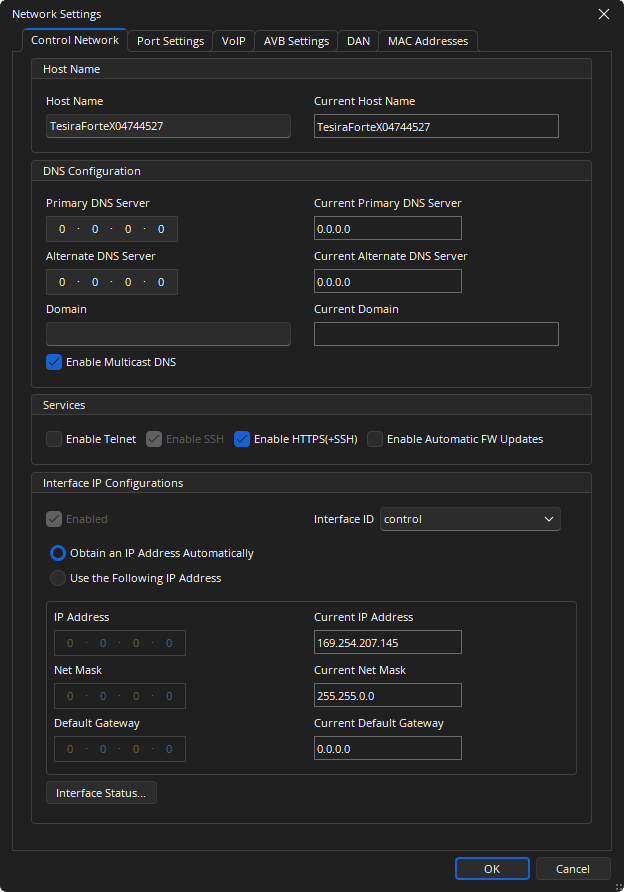
Host Name: Alphanumeric and unique with no spaces.
DNS Configuration: A Primary and alternate DNS Server can be specified, as well as a domain and multicast DNS.
Services:
-
Ability to enable or disable the Telnet port (port 23)
-
Ability to enable or disable the SSH port (port 22)
For further details on using these protocols for system control refer to the Third Party Control section of the Tesira Software System Control page.
-
Ability to enable or disable Rapid Spanning Tree Protocol (RSTP)
Enabling RSTP will only be available when a TesiraCONNECT or TesiraXEL amplifier is selected. RSTP is enabled by default for a TesiraCONNECT device, but will not be available for the TesiraXEL unless daisy chain and RSTP are enabled from the Port Settings tab (See below). RSTP will not be shown for any devices that do not support this functionality.
- The HTTPS(+SSH) allows enabling or disabling a hosted webpage in Server Class devices that support this functionality.
This parameter is disabled by default, enabling it to turn on the Events Scheduler interface. Enabling this service will also enable SSH, which is required for the Event Scheduler to function.
-
The IGMP allows TC-5D devices to participate in IGMP enabled networks to allow multicast Dante flows.
Interface IP Configurations: Settings related to automatic or manual IP addressing can be defined here. The Interface ID drop down is used to select the Control or AVB Media Interface. By default the Control and AVB networks are separate. Combining control signalling to AVB expander devices is an advanced configuration. Please review the Network Considerations sections before enabling Control Signalling on the AVB network.
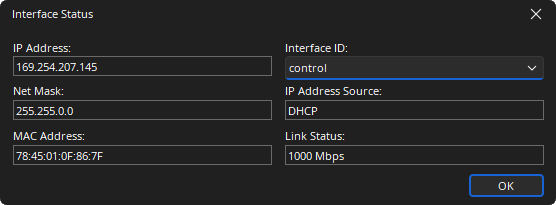
Interface Status: Interface Status shows the current connection details for the chosen interface.
Port Settings Tab
The port settings tab is only available when a device is selected that supports configuring usage of the device's network ports. The settings available differ by device. See System Considerations for additional information about any of the following settings.
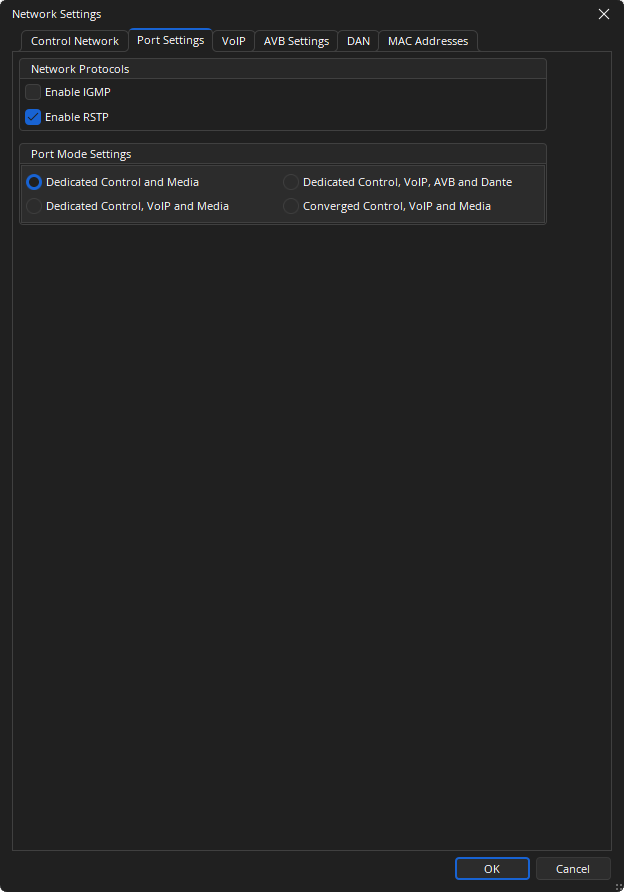
TesiraFORTÉ X
Network Protocols:
- Enable IGMP: A delivery system that delivers single streams of information to multiple recipients.
- Enable RSTP: Enabled by default, RSTP ensures a loop-free topology for ethernet networks.
Dedicated Control, and Media: Port 1 Control/VoIP, Ports 2-5 Media.
Dedicated Control, VoIP, and Media: Port 1 Control, Port 2 VoIP, Ports 3-5 Media.
Dedicated Control, VoIP, AVB, and Dante: Port 1 Control, Port 2 VoIP, Port 3 AVB, Port 4 Dante, Port 5 Disabled.
Converged Control, VoIP, and Media: Ports 1-5 Control/VoIP/Media.
TesiraCONNECT TC-5/5D
Network Protocols:
- Enable IGMP: A delivery system that delivers single streams of information to multiple recipients.
- Enable RSTP: Enabled by default, RSTP ensures a loop-free topology for ethernet networks.
Port 1 - Filter Media Traffic: suppresses both AVB (MSRP, MVRP, gPTP) and Dante (PTP) traffic out of port 1. When checked this forces port 1 to allow control port traffic only (no Dante or AVB traffic). This blocks Dante discovery across the port as well, requiring Dante Controller to be connected on the same network as ports 2-5. TC-5 is not a Dante endpoint but will pass Dante network traffic.
TesiraXEL 1200.1/1200.2 Amplifiers
When Daisy Chain is selected, users will have the option of enabling Rapid Spanning Tree Protocol (RSTP). RSTP prevents network loops from impacting network performance. See the TesiraXEL 1200 Amplifiers portion of System Considerations for additional information.
Separate Control and AVB: Allows for separating control and audio data. Control and AVB ports do not exchange information therefore they may be connected to different networks.
Daisy Chain: Allows the amplifier to provide network connectivity to multiple devices without the need for an additional Ethernet switch (default). Enabling RSTP prevents network loops from affecting performance.
AVB: Allows a single device to be connected to two different networks.
Voltera D/DM Amplifiers
Dedicated Control and Media: Port 1 and Port 2 supports a control connection for device discovery, management, and programming. Port 2 also supports network media in this mode.
Converged Control and Media: Port 1 supports both control and network media in this mode.
Redundant Dante: Port 1 supports control and primary network media while Port 2 supports secondary network media in this mode.
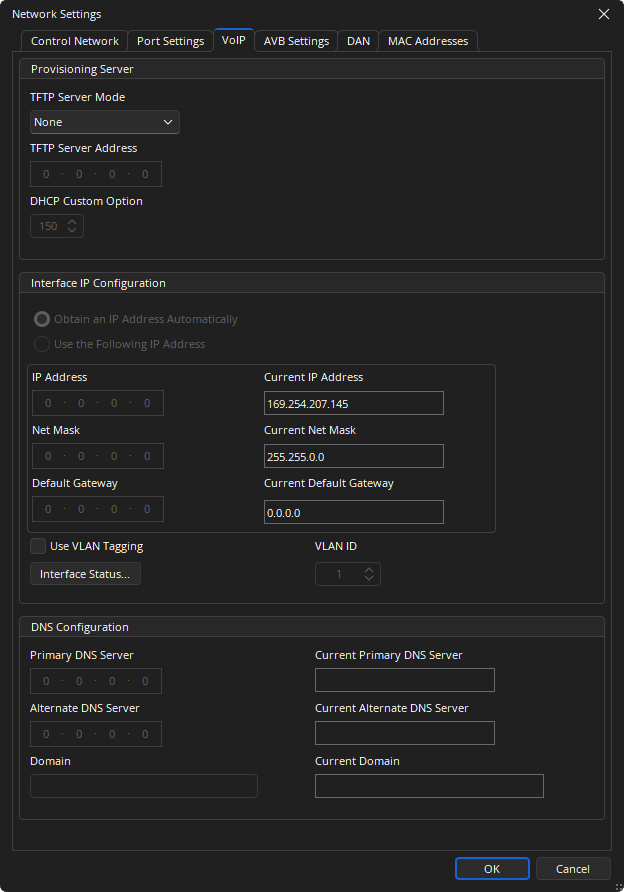
VoIP
AVB Settings Tab
The AVB Settings tab allows user to adjust the AVB Peer Delay Threshold (1200ns by default). This adjustment may be required if media converters are used to connect to the expanders and there are audio dropouts happening. In this case a minimum value of 10,000ns should be used in this field. The expanders should also have the same value specified using the Remote Device dialog.
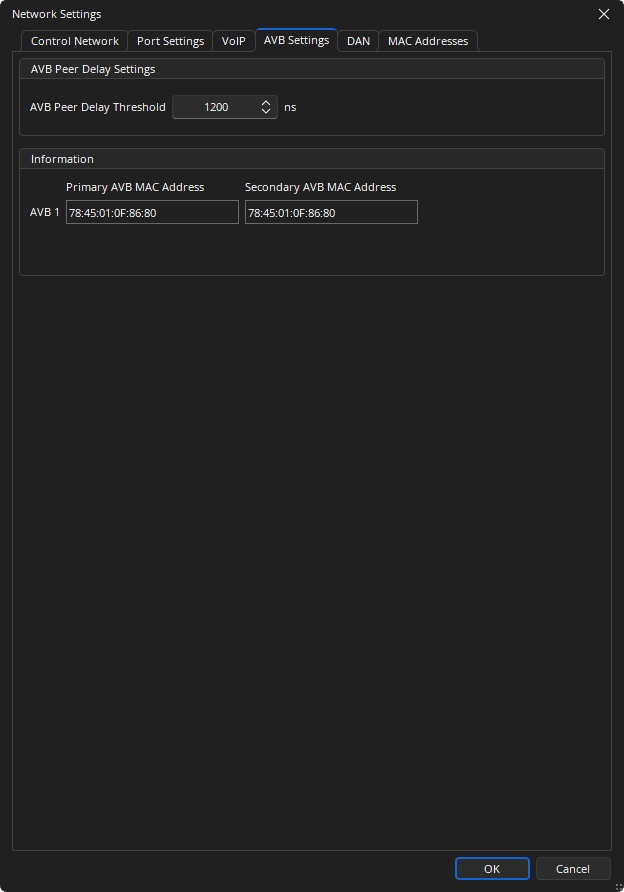
Note: when a TesiraCONNECT device is selected, the Information window is unavailable.
Dante Network Settings Tab
The hostname, DNS and IP configuration of the Dante interface can be set as needed.
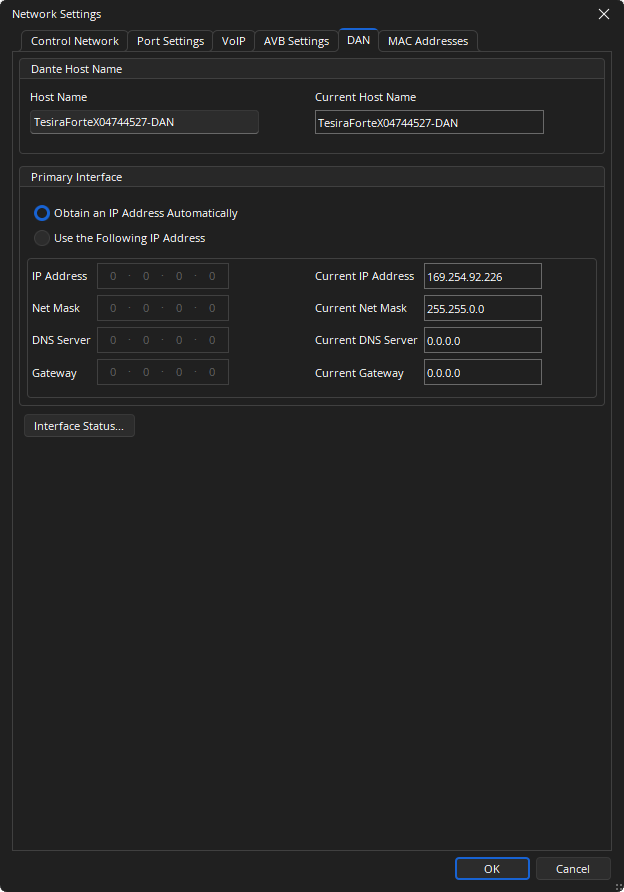
Interface Status: Interface Status shows the current connection details for the chosen interface.
Note: Some network settings such as the Host Name will not be available unless the device is in an un-configured state. A Clear Configuration action is required of the device to make changes to the Host Name field. Trying to modify the Host Name via TTP will result in an error message if the system is currently configured. In the scenario where a system is configured and Clear Configuration is used to change the Host Name, the Equipment Table will need to be re-opened and updated to reflect the new details, and the configuration re-sent to the system.
MAC Addresses Tab
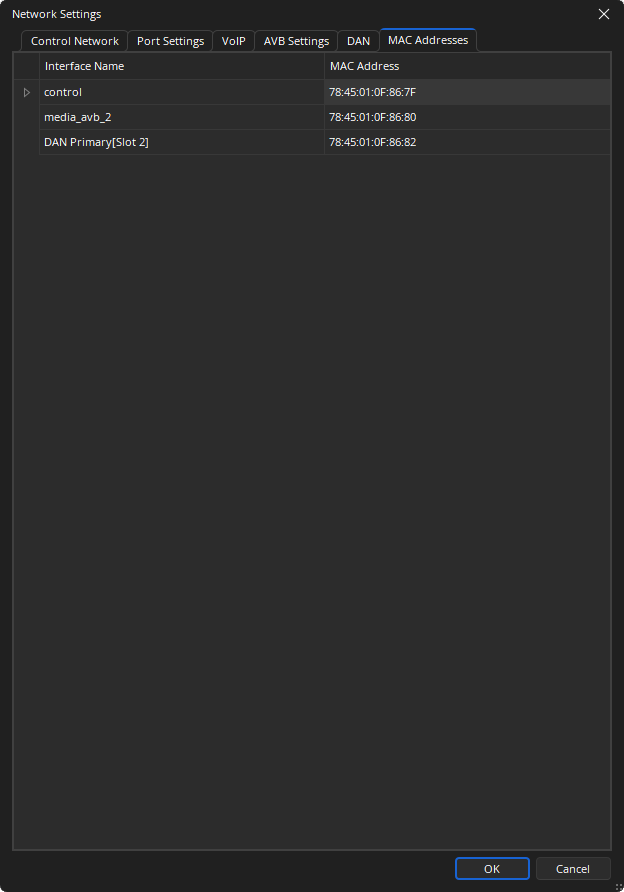
MAC Address, Card type and Slot information can be viewed.