Options
Global settings are subdivided into two categories: Application Settings and Document Settings.
Application Settings
Determines many base display and configuration options of the Tesira Application. There are several options within the Applications Settings dialog including General, Partition Type, Display, Compile, Configuration and Network.
General
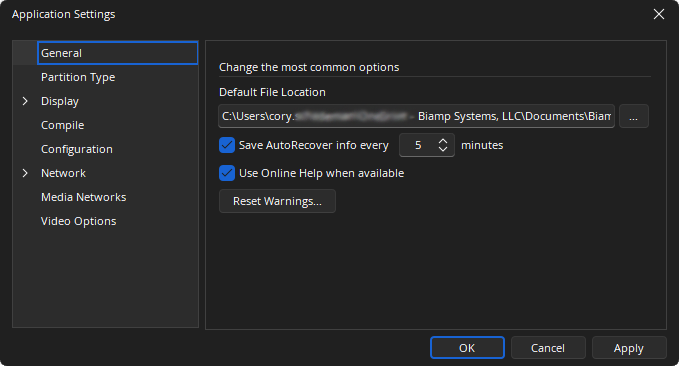
Allows Data Files (system designs) and Processing Libraries (Component Objects) to be saved to specified directory locations. Allows the Save AutoRecover time to be adjusted or disabled. Reset Warnings will let any suppressed warnings to be reset.
'Use Online Help when available' gives the user the option to access the latest web-based version of the Tesira help file when clicking the question mark icon in Tesira. If unchecked, Tesira will open the software-embedded help file.
The option to access the online version of help was introduced in Tesira v 3.13, but users will be directed to the most recent release of the help file when this option is checked (default), regardless of the software version they are currently running. The online help may reflect a later version of the software than currently being used. Be sure to review the release notes to check for any features that may not apply to your version of the software. Software may be updated at support.biamp.com.
Partition Type
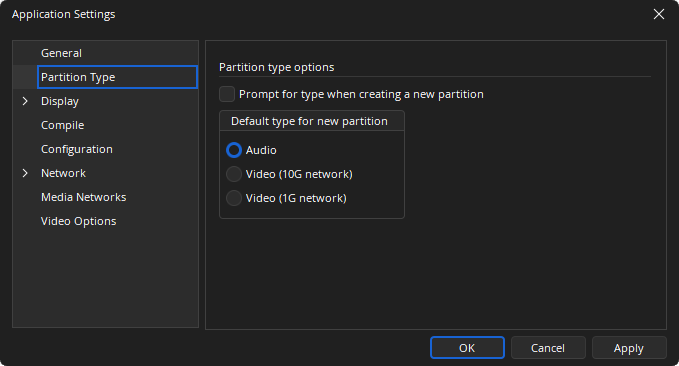
Is used to specify the default type for new partitions, and whether the user is prompted for this selection every time a new file is created.
Display
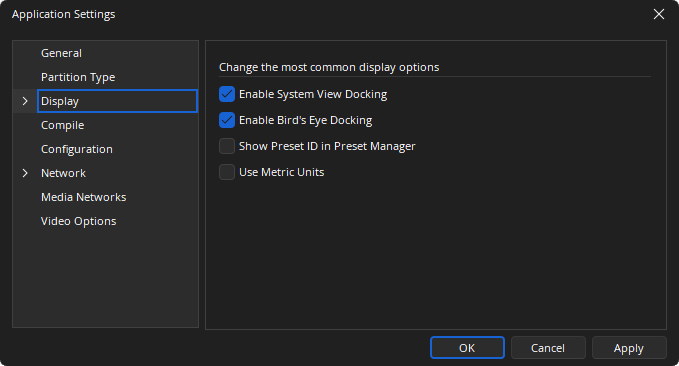
The general display options allows docking to be enabled for the System View and Bird’s Eye View sheets. Show Preset ID in Preset Manager inserts a column in the Preset Manager view sheet where the preset ID number is always displayed.
Blocks
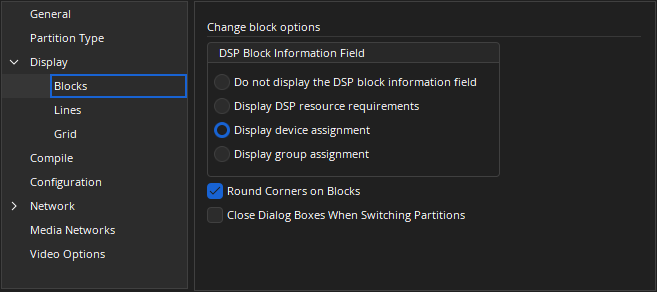
This selects the details to be displayed on the DSP blocks in the layout.
DSP Block Information Field
- Do not display the DSP block information field – display nothing on the DSP blocks.
- Display DSP resource requirements – display DSP resources for a block in percent.
- Display device assignment – display the hardware unit in which this DSP object resides.
- Display group assignment – display the DSP group in which this DSP object resides.
Round corners on Blocks is a cosmetic feature.
Close Dialog Boxes When Switching Partitions will close all open dialog (i.e. DSP block Control Dialog) when another partition becomes the active view.
Lines
Allows the line drawing options to be configured.
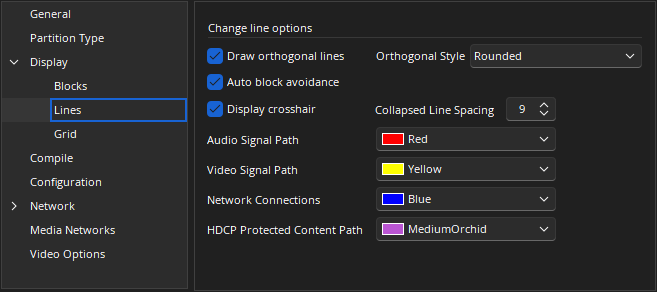
- Draw orthogonal lines automatically bends lines at right angles to meet DSP block nodes. The style can be normal (right angles at turns), rounded (no right angles at turns) and rounded with jump-overs (lines jump over existing lines).
- Enabling of Auto block avoidance automatically turns lines around DSP blocks in the layout.
- Enabling of Display crosshair will use the crosshair rather than the hand pointer to draw the lines.
- Collapsed Line Spacing determines the horizontal separation of vertical lines in Orthogonal line drawing mode when the left arrow key is held.
- Any color can be chosen for the signal path (using the Signal Path Identifier), Network Connections, and HDCP protected content paths.
Grid
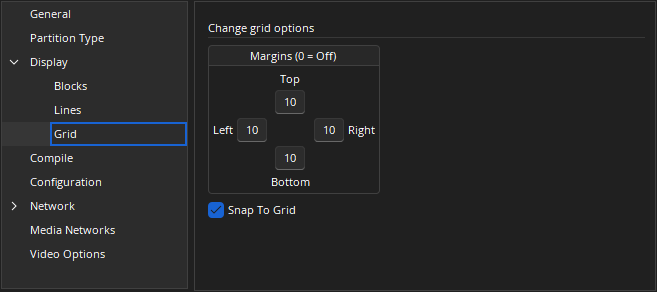
Enables the snap to grid functionality on placement of DSP blocks and lines. Margins can be chosen for blocks in the layout window (pixels).
Compile
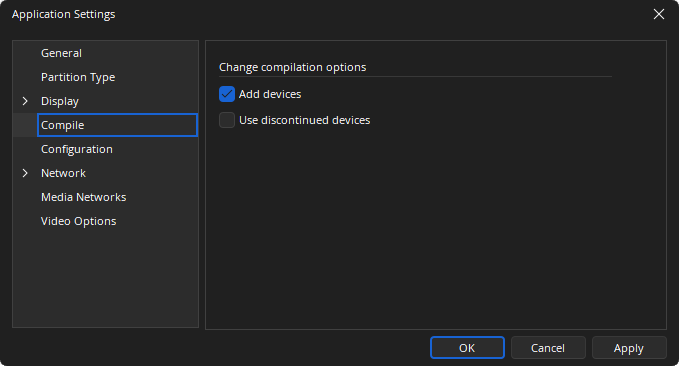
Determines how the Application handles hardware allocations during the compilation process. Add Devices allows the compiler to add Tesira hardware to the system equipment table and allocate DSP blocks to the new unit(s). Use discontinued devices will allow discontinued devices to be selectable from component objects as well as show up during compilation. Discontinued devices will also be selectable from the equipment table when assigning a physical device.
Configuration
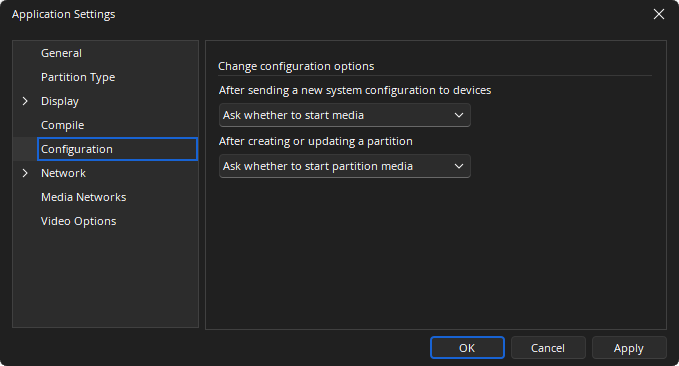
Determine how the system prompts the user when one or more audio partitions are updated. The options can be set to prompt the user to start audio, automatically start audio or do not start audio.
Network
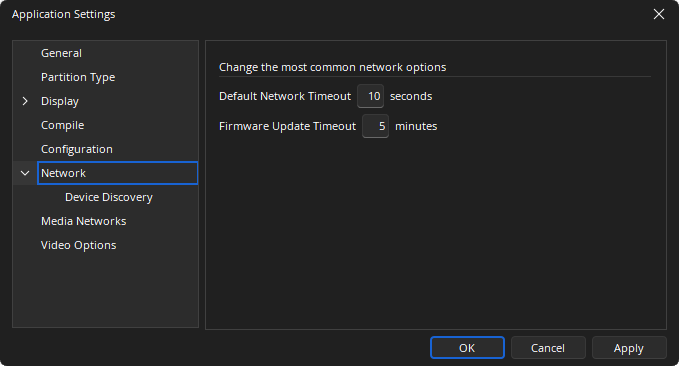
Sets the timeouts for network control communications and firmware updates.
Device Discovery
Configures the way the Tesira application finds hardware on the network. Automatic discovery allows the application to automatically detect Tesira hardware on the local area network. Multiple Network Interface Cards can be chosen to detect Tesira hardware on multiple LAN's.
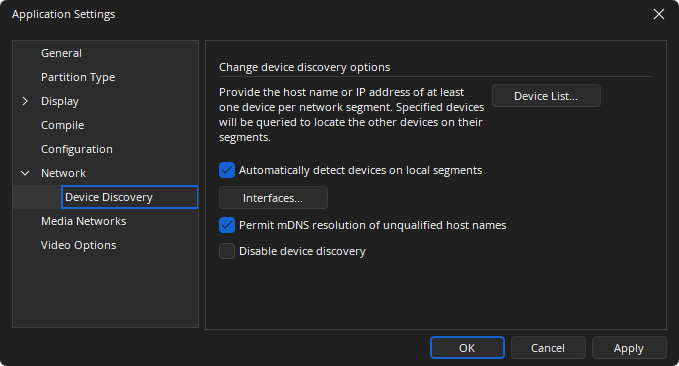
In the case that one Network Interface Card (NIC) is discovering Tesira units on a routed network, hostnames or IP address can be manually entered in the Device List for discovery.
The Discovery Device List dialog allows users to manually enter hostnames or IP Addresses of devices to be searched for during device discovery. When adding to the list, 'Enabled' is checked by default. The Description field is optional.
Data may be exported or imported to or from a .csv file. Upon import, any duplicate IP Addresses will be retained in the Discovery Device List. Default location for import/export is C:\Users\<username>\Documents\Biamp\Tesira\DataFiles.
Permission of mDNS allows software resolve hostnames using the multicast DNS protocol, which requires no DNS server. Disabling device discovery defeats all previous options in this section.
Media Networks
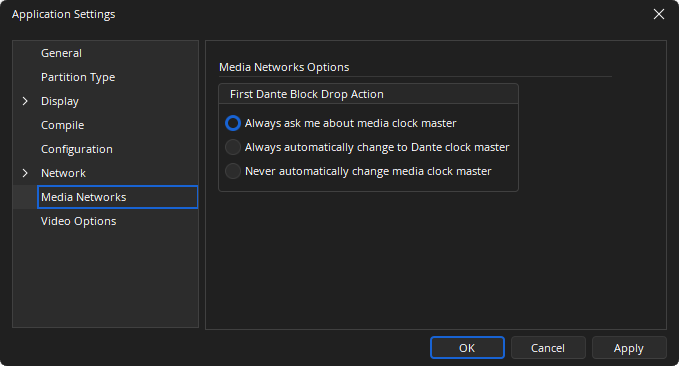
Media Networks allows for Clock Leader defaults to be set when Dante blocks are added.
Video Options
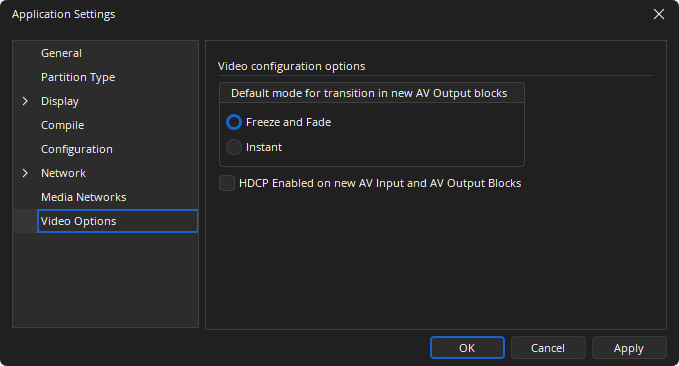
The Video Options allows the default mode for transitions when new AV Output blocks are added. Options available are Freeze and Fade or Instant.
Document Settings
General Settings
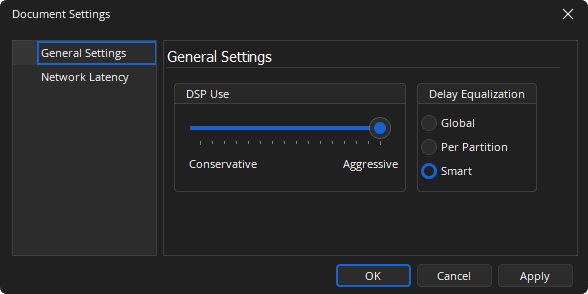
DSP Use: Configures the amount of DSP resources reserved for Delay Equalization of audio paths. This is a user selectable slider. When set as Aggressive the DSP will reserve the less resources to delay compensation. When set to Conservative the DSP will reserve more resources to delay compensation.
Delay Equalization: Tesira software can operate in one of three Delay Equalization Modes, which define how Delay Equalization Groups in different partitions interact with one another.
In some cases, making changes to one partition can affect the Delay Equalization requirements of another (otherwise unchanged) partition. In this case, both partitions will need to be updated when the configuration is sent, which means that audio will be interrupted in both partitions. A warning will be displayed during compilation if this situation arises. Managing Delay Equalization Groups and/or selecting the appropriate Delay Equalization Mode can prevent this situation from occurring when it is undesirable.
Delay Equalization Modes only affect the behavior of I/O blocks that are assigned to the Default Delay Equalization Group; I/O blocks that are assigned to user-defined Delay Equalization Groups will always be synchronized, regardless of the currently selected mode. Similarly, I/O blocks that are assigned to the “None” group will not be synchronized in any mode.
- Global: The Global Delay Equalization Mode ensures that all I/O blocks in the same Delay Equalization Group (except the “None” group) are synchronized, even if they are in different partitions.
- Per Partition: The Per Partition Delay Equalization Mode ensures that signals in different partitions are not synchronized. In this mode, I/O blocks in different partitions will not be synchronized with one another when they are all assigned to the Default group. In other words, this mode only allows delay equalization to operate within single partitions. The only exception is for blocks that are assigned to user-defined Delay EQ groups, which will be synchronized in this mode.
- Smart: The Smart Delay Equalization Mode is the middle ground between the Global and Per Partition modes. In this mode, when I/O blocks in different partitions are in the Default group, they will be synchronized only if the signals associated with those I/O blocks are connected to a common mixer/router block. If the I/O blocks don’t interact with one another, they will not be synchronized. Note that this mode only affects blocks in the Default group; blocks in the same user-defined group will always be synchronized, regardless of whether they interact with one another.
See the Delay section of the Compilation page for additional details.
Network Latency
Sets the latency of the AVB and CobraNet audio transports.
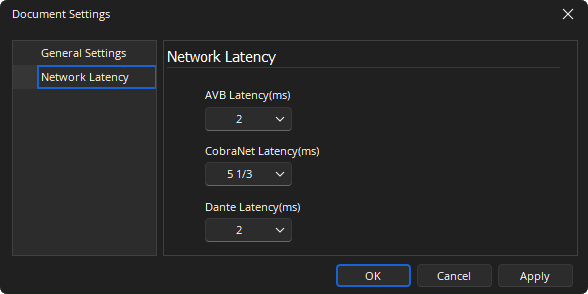
AVB Latency: Can be set at 1ms or 2 ms.
CobraNet Latency: Can be 5 1/3 ms (default) , 2 1/3 ms or 1 1/3 ms.
Dante Latency: Can be set at 1ms or 2ms.